引言
哎,图片不行,前端生成的还有浏览器限制,只能后端来搞,所以,emm,搞吧。
代码
import base64
import io
import matplotlib.pyplot as plt
import sys
import pdfkit
from matplotlib.font_manager import FontProperties

# Linux 可能不支持中文字体
plt_font_flag = False
try:
    # print(sys.path[0] + "/simhei.ttf")
    font = FontProperties(fname=sys.path[0] + "/simhei.ttf", size=12)
    plt.rcParams['axes.unicode_minus'] = False
    plt.title("存续期产品业绩净值表现", font=font)
    plt.xlabel("金额", font=font)
    plt.ylabel("日期", font=font)
    plt_font_flag = True
except Exception as e:
    print("不支持中文字体")

xl = []
x = ["2020-01-01", "2020-01-02", "2020-01-03", "2020-01-04", "2020-01-05"]
a = [0, 1, 4, 7, 10]
b = [0, 2, 5, 8, 11]
c = [0, 3, 6, 9, 12]

# marker数据点样式,linewidth线宽,linestyle线型样式,color颜色
plt.plot(a, marker="*", linewidth=3, linestyle="-", color="orange")
plt.plot(b, marker="*", linewidth=3, linestyle="-", color="red")
plt.plot(c, marker="*", linewidth=3, linestyle="-", color="blue")
if plt_font_flag:
    plt.legend(["A的图示", "B的图示", "C的图示"], loc="upper right", prop=font)

for i in range(0, len(x)):
    xl.append(i)
plt.xticks(xl, x)
# 设置图例
plt.grid(True)  # 背景网格

buffer = io.BytesIO()  # using buffer,great way!
# 把plt的内容保存在内存中
plt.savefig(buffer, format='png')
encode = base64.encodebytes(buffer.getvalue()).decode()

data = """
<!DOCTYPE html>
<html lang="zh-cn">
<head>
    <meta charset="UTF-8">
    <meta http-equiv="X-UA-Compatible" content="IE=edge">
    <meta name="viewport" content="width=device-width, initial-scale=1.0">
    <title>Document</title>
</head>
<body>
<div style="width:1920px;height:1080px;border:1px red solid"></div>
    <h1>下面是图片</h1>
     <img src="data:image/png;base64,{}" />
</body>
</html>
""".format(str(encode))


with open("./out_html.html", 'w') as f:
    f.write(data)

# config = pdfkit.configuration(wkhtmltopdf='D:\\Software\\wkhtmltopdf\\bin\\wkhtmltopdf.exe')
config = pdfkit.configuration(wkhtmltopdf='/usr/local/bin/wkhtmltopdf')

options = {
    'page-size': 'A2',
    'margin-top': '0.75in',
    'margin-right': '0.75in',
    'margin-bottom': '0.75in',
    'margin-left': '0.75in',
    'encoding': "UTF-8",
    'no-outline': None,
}
pdfkit.from_string(data, './out_pdf.pdf', configuration=config, options=options)
windows
windows上执行成功。
linux
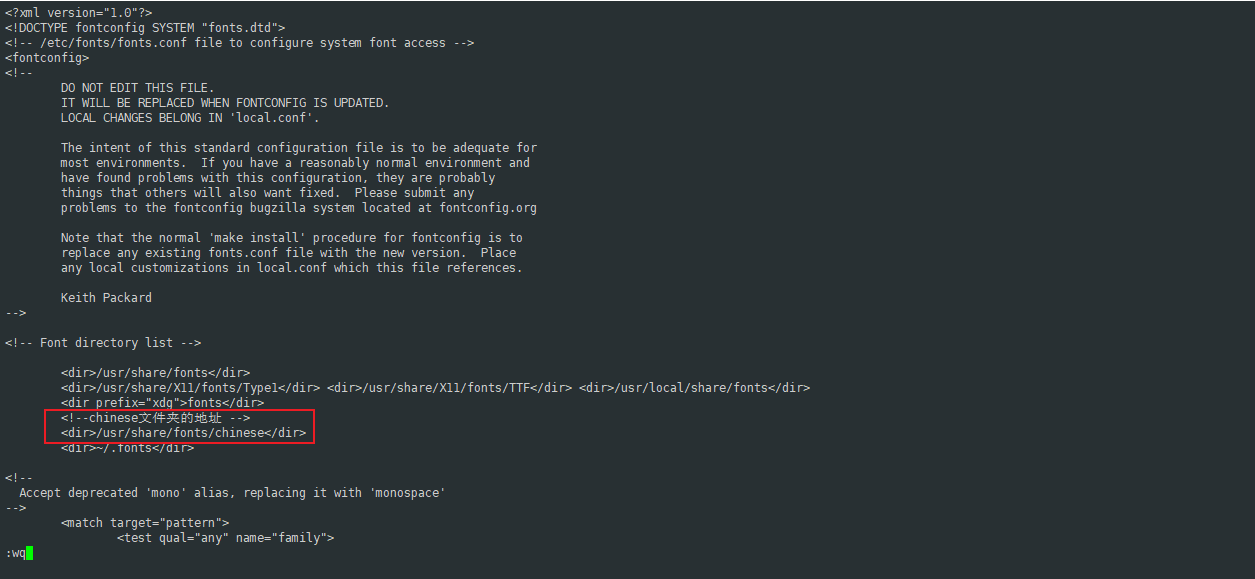
安装依赖有点费劲,还有字体。
建议去这里下载:
https://mirrors.cnnic.cn/centos/7/os/
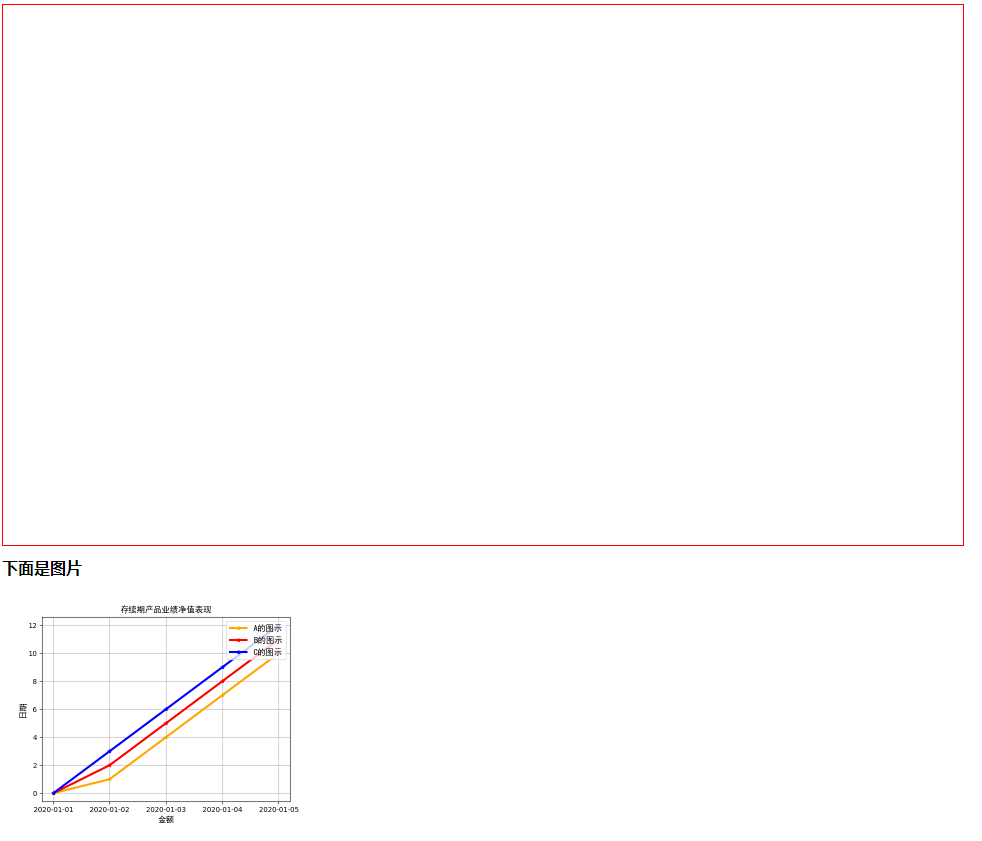
成果

评论 0
还没有评论,来说点什么吧。