介绍
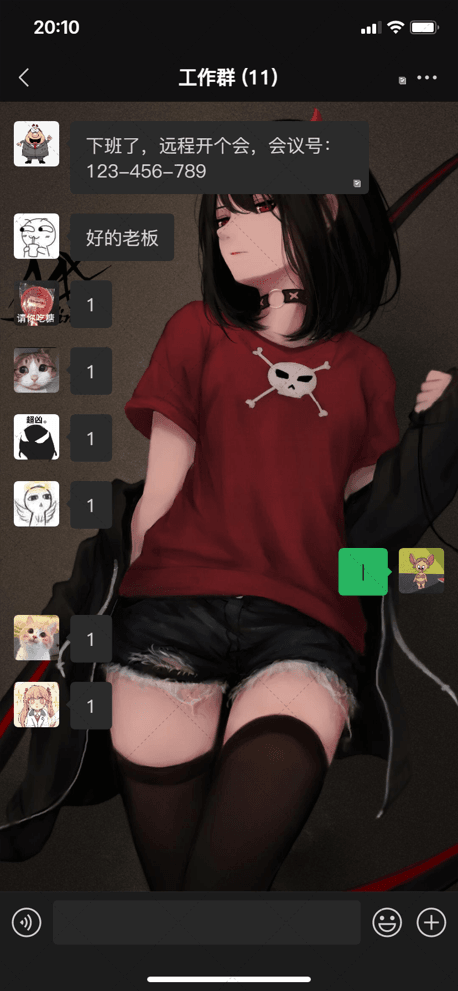
监控任务栏图标变化,根据是否有图标变化来判断是否有消息(可别在托盘里放一些经常变的图标,比如任务管理器),根据进程信息,判断是否explorer未响应,并且支持自动重启explorer,定期移动鼠标,避免离开状态以及锁屏,如果有消息(任务栏图标变化),循环播放音乐,并且支持自动调高音量,人工介入后自动恢复原来的音量,如果正在操作电脑,程序不工作,可设置超时时间,超过多久不操作自动进行检测和移动鼠标。
⚠:本工具使用了Hook,可能有杀毒软件提示危险。
屏幕左上角就是间隔时间后点击的地方,原则上是置顶的,红色说明程序空闲,绿色说明程序运行
需要的依赖
os
threading
psutil
win32gui
win32api
win32con
PIL
pygame
keyboard
time
mouse
ctypes
comtypes
配置段
self.moveTime = 45  # 检查鼠标移动的周期
        self.get_tray_timeout = 0  # 获取托盘失败次数
        self.error_max = 10  # 最大获取失败次数
        self.restart_explorer_sleep = 5  # 重启explorer等待时间
        self.rect_right_offset = 24  # 右侧偏移量,如果想只截取部分应用,需把那部分托盘移动到最左边,然后修改此偏移量
        self.container_max = 3  # 容器存放数量
        self.timer = 0  # 检测周期
        self.active_check_time = 5  # 多久不动之后才会生效
        self.trayClassName = "ToolbarWindow32"
        self.playSound = True  # 是否允许播放音乐
        self.canUpperSoundLevel = True  # 允许调整电脑音量
        self.canRestartExplorer = False  # 是否允许explorer崩溃时重启explorer
GitHub
https://github.com/zunmx/touchFish
代码
注意
如果无法连接github,可以直接复制以下代码,但不保证以下代码是最新的
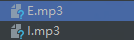
再找两个mp3格式的音乐,用于报错和消息通知时候的铃音。
import os
import threading
import psutil
import win32gui
import win32api
import win32con
import sys
from PIL import ImageGrab, ImageChops
import pygame
import keyboard
import time
import mouse
from ctypes import cast, POINTER
from comtypes import CLSCTX_ALL
from pycaw.pycaw import AudioUtilities, IAudioEndpointVolume


def get_volume():
    return volume.GetMasterVolumeLevel()


def set_volume(volume_level):
    volume.SetMasterVolumeLevel(volume_level, None)


def judge_explorer_status():
    process_iter = psutil.process_iter()
    status = "NOT_EXISTS"
    for i in process_iter:
        if i.name() == "explorer.exe":
            status = "EXISTS_BUT_NOT_RESPONSE"
            if i.status() == "running":
                status = "OK"
    return status


def play_sound(path):
    print("Play sound")
    pygame.mixer.music.load(path)
    pygame.mixer.music.play(loops=-1)


class TouchFish:
    def __init__(self):
        self.tray_hwnd = None  # 托盘位置
        self.rect = None  # 托盘矩阵
        self.container = []  # 存放截图的容器
        self.container_index = 0  # 容器存放索引
        self.screen = None  # 窗体
        self.last_active_time = 0  # 上次活动时间
        self.oldVolume = 0  # 修改前音量
        self.mute = 0  # 是否静音
        self.r = 128
        self.g = 128
        self.b = 128
        # 分隔线
        self.moveTime = 45  # 检查鼠标移动的周期
        self.get_tray_timeout = 0  # 获取托盘失败次数
        self.error_max = 10  # 最大获取失败次数
        self.restart_explorer_sleep = 5  # 重启explorer等待时间
        self.rect_right_offset = 24  # 右侧偏移量,如果想只截取部分应用,需把那部分托盘移动到最左边,然后修改此偏移量
        self.container_max = 3  # 容器存放数量
        self.timer = 0  # 检测周期
        self.active_check_time = 5  # 多久不动之后才会生效
        self.trayClassName = "ToolbarWindow32"
        self.playSound = True  # 是否允许播放音乐
        self.canUpperSoundLevel = True  # 允许调整电脑音量
        self.canRestartExplorer = False  # 是否允许explorer崩溃时重启explorer
        # 获取托盘句柄
        self.get_tray_handle()
        # 获取托盘栏矩阵
        self.rect = list(win32gui.GetWindowRect(self.tray_hwnd))
        # 设置容差,容错无线网、音量等变动
        self.rect[2] = self.rect[2] - self.rect_right_offset
        # 设置容器空
        for i in range(0, self.container_max): self.container.append(None)

    def fuck(self, t, content):
        if self.canUpperSoundLevel:
            self.mute = volume.GetMute()
            self.oldVolume = get_volume()
            set_volume(0)
        if t == "e":
            if self.playSound:
                play_sound("E.mp3")
                win32api.MessageBox(win32con.NULL, content, "错误", win32con.MB_ICONERROR)

        elif t == "i":
            if self.playSound:
                play_sound("I.mp3")
                win32api.MessageBox(win32con.NULL, content, "提示", win32con.MB_ICONASTERISK)
        pygame.mixer.music.stop()
        self.container.clear()
        set_volume(self.oldVolume)
        volume.SetMute(self.mute, None)
        for i in range(0, self.container_max): self.container.append(None)

    def get_tray_handle(self):
        """
        get ToolbarWindow32 hwnd
        :return:  ToolbarWindow32 hnwn
        """
        shell_hwnd = win32gui.FindWindow("Shell_TrayWnd", None)
        notify_hwnd = win32gui.FindWindowEx(shell_hwnd, 0, "TrayNotifyWnd", None)
        toolbar = win32gui.FindWindowEx(notify_hwnd, 0, "SysPager", None)
        tray_hwnd = win32gui.FindWindowEx(toolbar, 0, self.trayClassName, None)

        if tray_hwnd != 0:
            self.tray_hwnd = tray_hwnd
        else:
            self.get_tray_timeout += 1
            status = judge_explorer_status()
            if status != "OK":
                if self.canRestartExplorer:
                    self.restart_explorer()
            else:
                self.fuck("e", "获取托盘栏失败,类名不正确")

    def restart_explorer(self):
        os.system("taskkill /f /im explorer.exe")
        os.system("explorer.exe")
        time.sleep(self.restart_explorer_sleep)
        status = judge_explorer_status()
        if status != "OK":
            self.fuck('e', "explorer.exe 进程启动失败,请尝试通过任务管理器(ctrl+shift+esc)手动启动explorer")

    def check_diff(self):
        if len(self.container) <= 1:
            return True
        last_element = None
        last_element_source = None
        for i in range(len(self.container)):
            if self.container[i] is not None:
                if last_element is None:
                    last_element = self.container[i].histogram().__str__()
                    last_element_source = self.container[i]
                else:
                    now = self.container[i].histogram().__str__()
                    if now != last_element:
                        difference = ImageChops.difference(last_element_source, self.container[i])
                        print(difference)
                        print(difference.histogram().__str__())
                        difference.save("d:/1.png")
                        return False

        return True

    def monitor(self):
        if time.time() - self.last_active_time < self.active_check_time:
            self.r = 255
            self.g = 0
            self.b = 0
            time.sleep(self.active_check_time - (time.time() - self.last_active_time))
            return threading.Thread(target=self.monitor).start()
        self.r = 0
        self.g = 255
        self.b = 0
        if self.get_tray_timeout > self.error_max:
            self.fuck('e', "获取失败次数过高")
        time.sleep(self.timer)
        self.get_tray_handle()
        self.rect = list(win32gui.GetWindowRect(self.tray_hwnd))
        self.rect[2] = self.rect[2] - self.rect_right_offset
        grab = ImageGrab.grab(self.rect)
        self.container[self.container_index] = grab
        self.container_index = (self.container_index + 1) % self.container_max
        if not self.check_diff():
            self.fuck("i", "有消息提醒或任务栏发生变化")
        threading.Thread(target=self.monitor).start()

    def moveMouse(self):
        def mouse_inner():
            while True:
                x, y = win32api.GetCursorPos()
                time.sleep(self.moveTime)
                x1, y1 = win32api.GetCursorPos()
                if x != x1 and y != y1:
                    # 鼠标动了
                    continue
                else:
                    # 鼠标没动
                    win32api.SetCursorPos([1, 1])
                    win32api.mouse_event(win32con.MOUSEEVENTF_LEFTDOWN, 0, 0, 0, 0)
                    win32api.mouse_event(win32con.MOUSEEVENTF_LEFTUP, 0, 0, 0, 0)
                    win32api.SetCursorPos([x, y])

        os.environ['SDL_VIDEO_WINDOW_POS'] = "%d, %d" % (0, 0)
        screen = pygame.display.set_mode((20, 20), pygame.NOFRAME)
        pygame.display.set_caption('+TouchFish+')
        threading.Thread(target=mouse_inner).start()

        pygameWindowHwnd = win32gui.FindWindow(None, "+TouchFish+")
        win32gui.SetWindowPos(pygameWindowHwnd, win32con.HWND_TOPMOST, 0, 0, 0, 0, win32con.SWP_NOSIZE)
        while True:
            screen.fill((self.r, self.g, self.b))
            for event in pygame.event.get():
                if event.type == pygame.QUIT:
                    pygame.quit()
                    sys.exit()
            pygame.display.flip()

    def alive(self):
        def deal_event(t, event):
            self.last_active_time = time.time()

        mouse.hook(lambda e: deal_event('m', e))
        keyboard.hook(lambda e: deal_event('k', e))
        mouse.wait()
        keyboard.wait()

    def start(self):
        threading.Thread(target=self.alive).start()
        time.sleep(1)
        threading.Thread(target=self.monitor).start()
        threading.Thread(target=self.moveMouse).start()


if __name__ == "__main__":
    devices = AudioUtilities.GetSpeakers()
    interface = devices.Activate(
        IAudioEndpointVolume._iid_, CLSCTX_ALL, None)
    volume = cast(interface, POINTER(IAudioEndpointVolume))
    pygame.init()
    pygame.mixer.init()
    TouchFish().start()
注意
- 每次因为差异告警会写一个差异的图片,放到了D:\1.png,如果没有这个需求可以手动删除这个代码。
- 如果使用了桌面美化的工具,要确保这个工具稳定,并且任务栏透明\毛玻璃等特效所在的区域没有影响。

评论 0
还没有评论,来说点什么吧。