引言
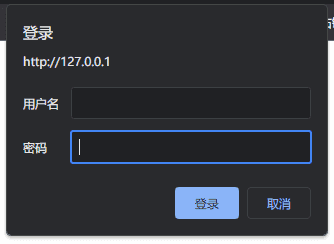
对于一些私有站点,不希望别人轻易访问的,可以使用这个简单的认证模块
使用方法
生成密钥文件
htpasswd -c -m 路径 用户名
如:htpasswd -c -m /etc/nginx/passwd administrator
如果首次使用,要加上-c,如果后续想添加别的用户,就不要再-c了
-m 属性是md5,如果觉得不够安全,可以参考下面的文档。
附上说明文档:
Usage:
htpasswd [-cimBdpsDv] [-C cost] passwordfile username
htpasswd -b[cmBdpsDv] [-C cost] passwordfile username password
-c Create a new file. 新建一个新文件
-n Don't update file; display results on stdout.
-b Use the password from the command line rather than prompting for it.
-i Read password from stdin without verification (for script usage).
-m Force MD5 encryption of the password (default).
-2 Force SHA-256 crypt() hash of the password (very secure).
-5 Force SHA-512 crypt() hash of the password (very secure).
-B Force bcrypt encryption of the password (very secure).
-C Set the computing time used for the bcrypt algorithm
(higher is more secure but slower, default: 5, valid: 4 to 17).
-r Set the number of rounds used for the SHA-256, SHA-512 algorithms
(higher is more secure but slower, default: 5000).
-d Force CRYPT encryption of the password (8 chars max, insecure).
-s Force SHA-1 encryption of the password (insecure).
-p Do not encrypt the password (plaintext, insecure).
-D Delete the specified user.
-v Verify password for the specified user.
On other systems than Windows and NetWare the '-p' flag will probably not work.
The SHA-1 algorithm does not use a salt and is less secure than the MD5 algorithm.
nginx 配置
在server节中配置以下:
need login --> 提示信息
/etc/nginx/password --> 认证文件路径
auth_basic  "need login";
auth_basic_user_file  /etc/nginx/password;
apache-httpd
如果需要配置apache-httpd的基本身份认证,可参阅往期文章。

评论 0
还没有评论,来说点什么吧。