引言
最近做一个爬虫工具,服务器上简单的搭建了一个服务,工具目的是将页面上的内容爬取下来,并且发送给一个后端服务,录入到数据库中,但是爬取过程一切顺利,保存的时候,提示跨域
has been blocked by CORS policy: No 'Access-Control-Allow-Origin' header is present on the requested resource. If an opaque response serves your needs, set the request's mode to 'no-cors' to fetch the resource with CORS disabled.

解决方案
首先配置项目头
// @connect      *
// @grant        GM_xmlhttpRequest
connect 后面接你要跨域访问的地址
GM_xmlhttpRequest 是一个方法,比如fetch,用法和jQuery的ajax差不多。
异步请求静态资源GET
比如说获取的是页面上的图片,我的方法是将其读取到二进制文件,然后Base64编码,发送给后端,后端再进行解析,存文件或者是OSS服务。
引用
代码中接口并非真实地址,请根据需求调整
function getBase64(url, filepath) {
        GM_xmlhttpRequest({
            method: "GET",
            url: url,
            responseType: 'blob', // 获取图片的二进制数据
            onload: function(response) {
                const blob = response.response;
                const reader = new FileReader();
                reader.readAsDataURL(blob);
                reader.onloadend = function() {
                    const base64data = reader.result;
                    GM_xmlhttpRequest({
                        method: 'POST',
                        url: 'http://www.zunmx.top:12356/api/save_oss',
                        headers: {
                            'accept': 'application/json, text/plain, */*',
                            'content-type': 'application/json',
                        },
                        data: JSON.stringify({"img_content":base64data,"filepath":filepath}),
                        onload: function(response) {
                            console.log('Request succeeded:', response.responseText); // 输出成功结果
                            if(response.responseText=='"文件上传成功"'){
                                count ++;
                            }else{
                                fail ++;
                            }
                        },
                        onerror: function(error) {
                            console.error('Request failed:', error); // 输出错误信息
                        }
                    });
                };
            },
            onerror: function(err){
                console.log(err)
            }
        });
    }
调用存储接口
实际上和上面存储图片的大同小异
GM_xmlhttpRequest({
            method: 'POST',
            url: 'http://www.zunmx.top:12356/api/insert2db',
            headers: {
                'accept': 'application/json, text/plain, */*',
                'content-type': 'application/json',
            },
            data: JSON.stringify(request),
            onload: function(response) {
                console.log('Request succeeded:', response.responseText); // 输出成功结果
                if(response.responseText=='"insert2db"'){
                    count++;
                }else{
                    fail ++;
                }
            },
            onerror: function(error) {
                console.error('Request failed:', error); // 输出错误信息
            }
        });
结语
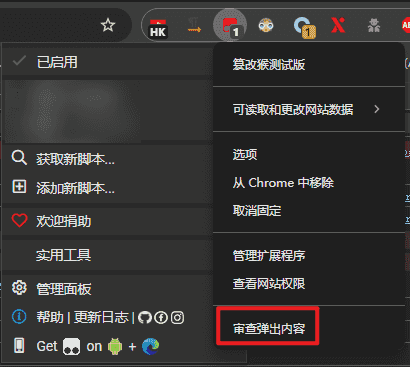
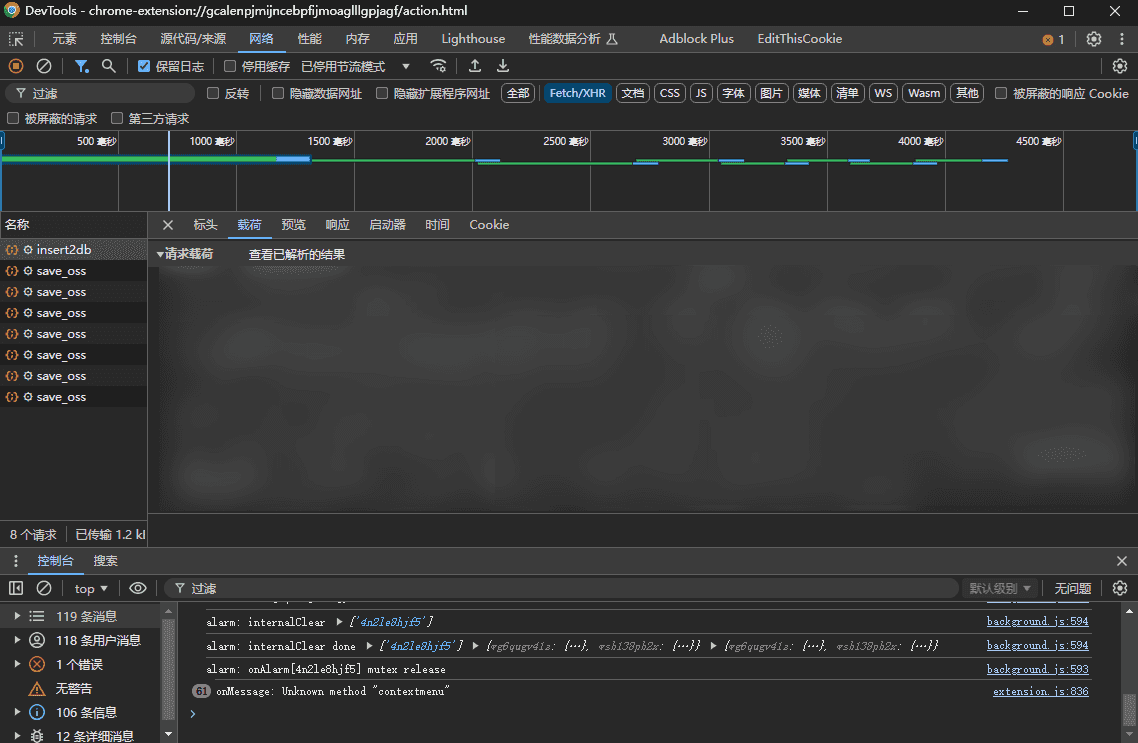
油猴插件调试请求比较麻烦,因为在F12中,并没有请求信息,但是可以看油猴的审查内容,这样就可以看到了。

评论 0
还没有评论,来说点什么吧。