引言
tb上买过教育版,结果用了一年多就封了,我记得之前用过ja-netfilter,用的是激活码,但是看起来直接替换的这种解决方案不太靠谱(网上的方案不排除存在jar投毒,当然,我并不是说这种方案不好,只是我目前没有理解,如果不放心可以通过jadx反编译一下),现在是使用jetbra.in激活服务器激活,但是如果断网条件下,或者某一天这个网站down了,就没办法了,尝试过通过fiddler拦截激活服务器的响应,发现相同请求所获得的响应是不同的,加密算法也搞不懂,power.conf也看不懂,用着就不放心,还是社区版搞起吧,毕竟社区版也够用了。这里也是从52大神那里作为参考,想到的另一种方案,此方法仅供技术研究和讨论,切勿用于商业用途,否则后果自负。
注意
idea 2024.2.3 版本已经失效
idea 2025.2+ 版本可以配合ja-netfilter使用
更新说明
2024年8月16日 文章已被修改,原来的版本会导致某些窗体打开失败{如:datagrip的修改表}
解决方案:setTitle中添加try-catch
测试通过的版本
idea 2024.1.3
idea 2024.1.4
idea 2024.1.6
clion 2024.1.4
datagrip 2024.1.2
datagrip 2024.1.4
准备工作
jadx
idea
arthas
jdk
思路
找到窗口
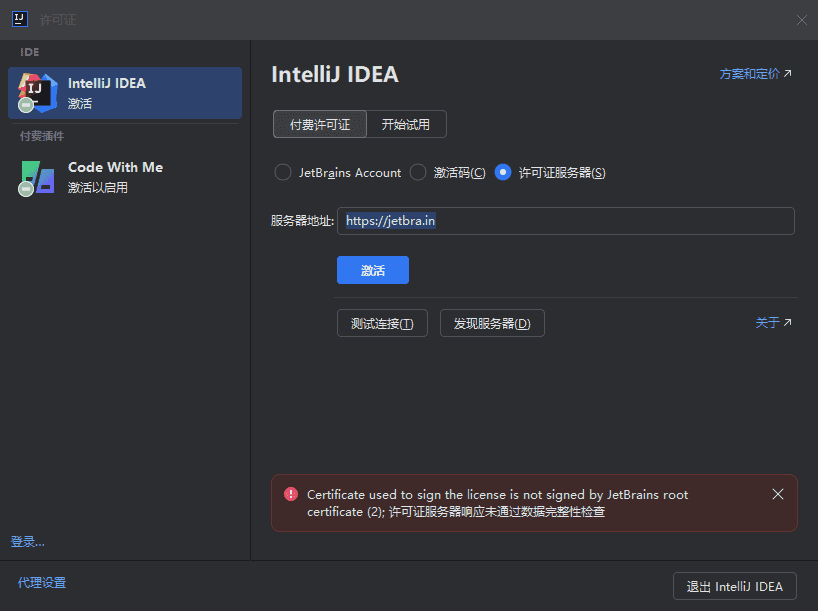

通过arthas获取awt的窗口ognl '@java.awt.Window@getWindows()',
尝试关闭窗口ognl '@javax.swing.JDialog@getWindows()[3].dispose()'
发现idea并没有完全退出,如果直接手动点退出的话,程序会结束
找到类名
上文中找到窗口了,类名其实也就出来了,但是如何判断com.intellij.openapi.ui.impl.DialogWrapperPeerImpl$MyDialogWrapperImpl具体在哪个包里,还是有些困难,通过sc -d -f com.intellij.openapi.ui.impl.DialogWrapperPeerImpl并没有找到,这里就是猜,猜到app-client.jar文件
分析代码
找到注入位置这里也踩了很多坑,比如说关闭了不该关闭的窗口,但是开发过java的应该都熟悉get/set方法,那么在setTitle时检查名称是不是就可以判断出这个窗口是不是应该关闭了?
写代码
依赖
<dependencies>
        <dependency>
            <groupId>org.javassist</groupId>
            <artifactId>javassist</artifactId>
            <version>3.28.0-GA</version>
        </dependency>
    </dependencies>
代码
package org.example;


import javassist.*;

import java.io.*;
import java.util.Enumeration;
import java.util.jar.*;

public class ModifyDialogWrapperPeerImpl {
    public static void main(String[] args) {
        try {
            ClassPool pool = ClassPool.getDefault();
            String jarPath = "G:\\test\\app-client-old.jar"; // jar文件路径
            String exportPath = "G:\\test\\app-client.jar"; // jar文件路径

            pool.insertClassPath(jarPath);
            CtClass ctClass = pool.get("com.intellij.openapi.ui.impl.DialogWrapperPeerImpl"); // 类名
            CtMethod setTitleMethod = ctClass.getDeclaredMethod("setTitle",
                    new CtClass[]{pool.get("java.lang.String")}); // 方法名
            setTitleMethod.insertBefore("{ System.out.println(\"即将打开窗口-->\"+$1);" +
                "boolean isLicenseWindow = false;" +
                "try {\n"+
                "   if($1.indexOf(\"许可证\")>-1) {isLicenseWindow=true; this.dispose();}\n" +
                "   if($1.indexOf(\"Licenses\")>-1) {isLicenseWindow=true; this.dispose();}\n" +
        "   if(\$1.indexOf(\\"管理订阅\\")>-1) {isLSW=true; this.dispose();}\\n" + // 加上这行和下一行
        "   if(\$1.indexOf(\\"Manage Subscriptions\\")>-1) {isLSW=true; this.dispose();}\\n" +
                "   if(isLicenseWindow) System.out.println(\"发现激活窗口,即将关闭\");\n" +
                "   Exception e = new Exception(\"↓↓↓↓↓↓↓↓↓↓↓↓↓↓↓↓↓↓↓↓↓↓↓↓↓↓↓↓↓↓↓↓↓↓↓↓↓↓↓↓↓↓↓↓↓↓↓↓↓↓↓↓↓↓↓↓\");\n" +
                "   System.out.println(\"调用栈信息-->\");\n" +
                "   e.printStackTrace();\n" +
                " }\n" +
                "catch (Exception ex) {\n" +
                "   System.out.println(\"出现错误-->\");\n" +
                "   ex.printStackTrace();\n" +
                "  }" +
                "}"); // 注入的代码
            String tempDir = "G:\\test\\modified_classes";
            ctClass.writeFile(tempDir);
            ctClass.detach();

            updateJarFile("G:\\test\\app-client-old.jar", tempDir, exportPath);
            System.out.println("Method modified successfully.");
        } catch (NotFoundException | CannotCompileException | IOException e) {
            e.printStackTrace();
        }
    }

    public static void updateJarFile(String originalJarPath, String modifiedClassesPath, String outputJarPath) throws IOException {
        JarFile originalJar = new JarFile(originalJarPath);
        FileOutputStream fos = new FileOutputStream(outputJarPath);
        JarOutputStream jos = new JarOutputStream(fos);

        // 复制原始JAR中的所有文件到新的JAR中,跳过要修改的类文件
        Enumeration<JarEntry> entries = originalJar.entries();
        while (entries.hasMoreElements()) {
            JarEntry entry = entries.nextElement();
            if (!entry.getName().equals("com/intellij/openapi/ui/impl/DialogWrapperPeerImpl.class")) { // 跳过要修改的类文件
                InputStream is = originalJar.getInputStream(entry);
                jos.putNextEntry(new JarEntry(entry.getName()));
                byte[] buffer = new byte[1024];
                int bytesRead;
                while ((bytesRead = is.read(buffer)) != -1) {
                    jos.write(buffer, 0, bytesRead);
                }
                is.close();
                jos.closeEntry();
            }
        }
        originalJar.close();

        // 添加修改后的类文件到新的JAR中
        File modifiedClassesDir = new File(modifiedClassesPath);
        addModifiedFilesToJar(modifiedClassesDir, "", jos);

        jos.close();
    }

    private static void addModifiedFilesToJar(File source, String parent, JarOutputStream jos) throws IOException {
        File[] files = source.listFiles();
        for (File file : files) {
            if (file.isDirectory()) {
                addModifiedFilesToJar(file, parent + file.getName() + "/", jos);
            } else {
                FileInputStream fis = new FileInputStream(file);
                jos.putNextEntry(new JarEntry(parent + file.getName()));
                byte[] buffer = new byte[1024];
                int bytesRead;
                while ((bytesRead = fis.read(buffer)) != -1) {
                    jos.write(buffer, 0, bytesRead);
                }
                fis.close();
                jos.closeEntry();
            }
        }
    }
}
执行完成后,需要把生成的文件替换回去。
测试

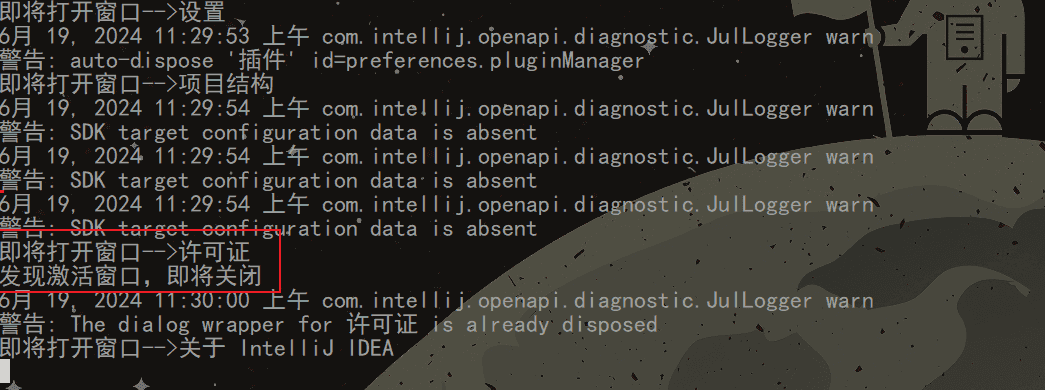
注意
这里需要注意的是,上文代码中的Licenses和许可证是写死的,如果使用其他语言的语言包,需要手动修改一下。
jar文件路径
idea == > app-client.jar
clion ==> app-client.jar
datagrip ==> app.jar
操作前需要先备份一下
经过测试,MyDialog是所有子窗口的类,如果一股脑全部关闭,设置,新建,打开,关于,你都将无法看到。
但是用了这个方法,注册窗口也是无法显示出来的
这种方法不能绕过插件的激活
工程实例
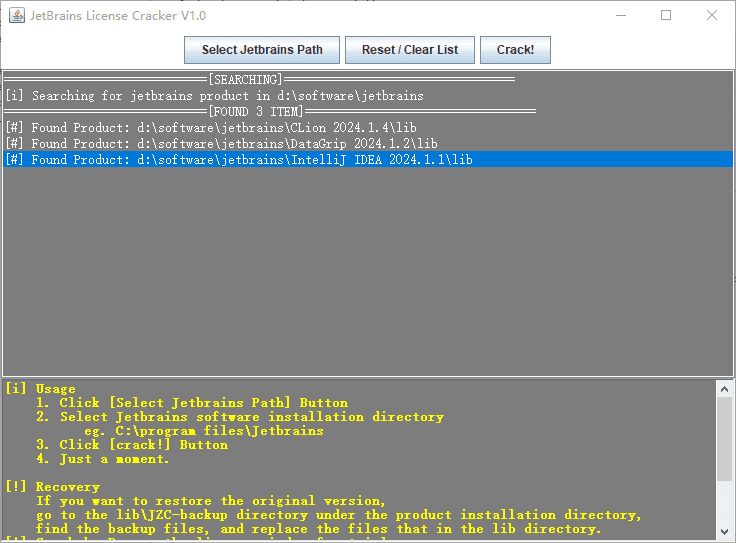
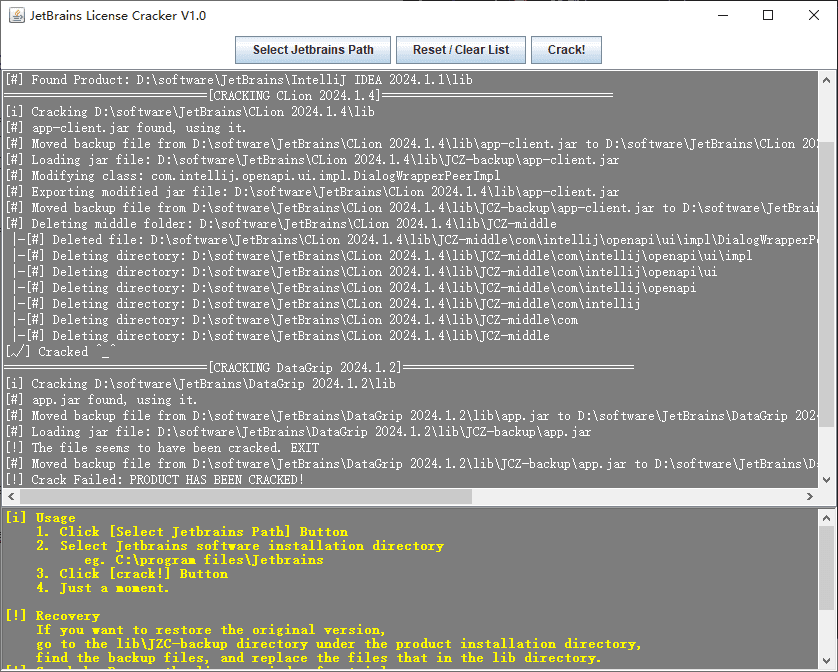
示例下载
运行:
java -jar jetbrains_cracker-1.0-SNAPSHOT-jar-with-dependencies.jar
示例git
git链接:git - jetbrains_cracker
⚠ 仅供学习交流,切勿用于商业用途。
结语
当然52论坛里的那个人也是我。
请支持正版,仅供研究学习使用,请勿用于非法用途。
20250807补充
IntelliJ IDEA 2025.2 (Ultimate Edition) 版本可以辅助使用,配合ja-netfilter
背景是升级到这个版本之后,虽然ja-netfilter是可以激活的,但是时不时的会跳出这个弹窗,'Ultimate'功能需要许可证。
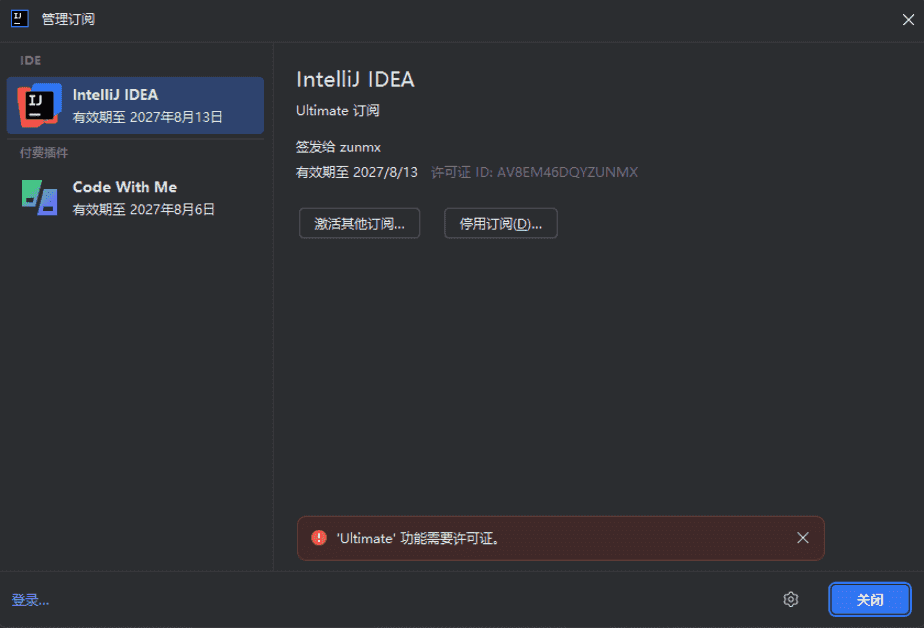
"   if(\$1.indexOf(\\"许可证\\")>-1) {isLSW=true; this.dispose();}\\n" +
"   if(\$1.indexOf(\\"Licenses\\")>-1) {isLSW=true; this.dispose();}\\n" +
"   if(\$1.indexOf(\\"管理订阅\\")>-1) {isLSW=true; this.dispose();}\\n" + // 加上这行和下一行
"   if(\$1.indexOf(\\"Manage Subscriptions\\")>-1) {isLSW=true; this.dispose();}\\n" +
20260402补充
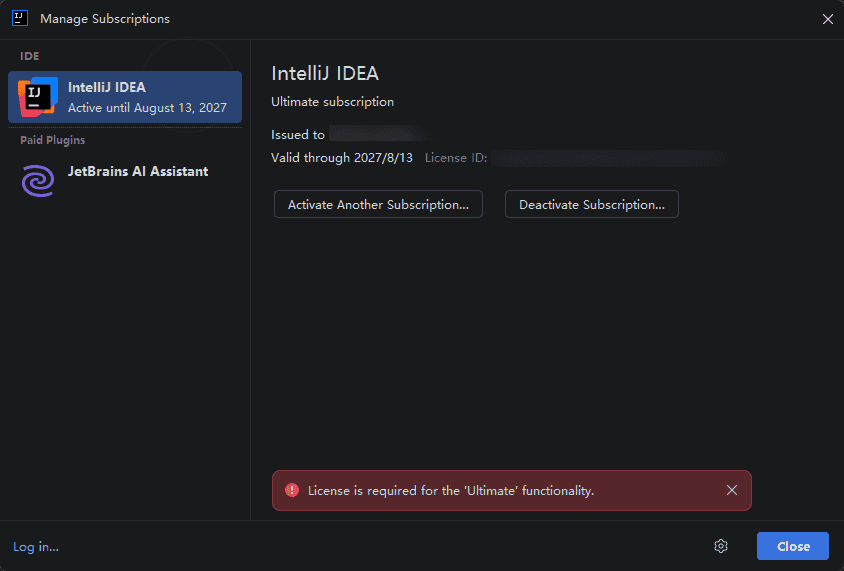
对于2026.1版本,间隔一段时间提示Ultimate功能需要许可证、License is required for the 'Ultimate' functionality 可以尝试删除文件JetBrains\IntelliJ IDEA 2026.1\plugins\ultimate-plugin\lib\ultimate-plugin.jar
关闭所有插件也会提示,复现可通过speedy调节idea.exe的速度,看样子是定时执行的,目前没有强依赖这个jar,后期极大可能失效。


评论 0
还没有评论,来说点什么吧。