引言
当前项目使用的是SQLServer,为了方便本机调试,将数据库安装到本地,但是连接时出现了问题,报错如下。
A network-related or instance-specific error occurred while establishing a connection to SQL Server. The server was not found or was not accessible. Verify that the instance name is correct and that SQL Server is configured to allow remote connections. (provider: Named Pipes Provider, error: 40 - Could not open a connection to SQL Server)
解决方案
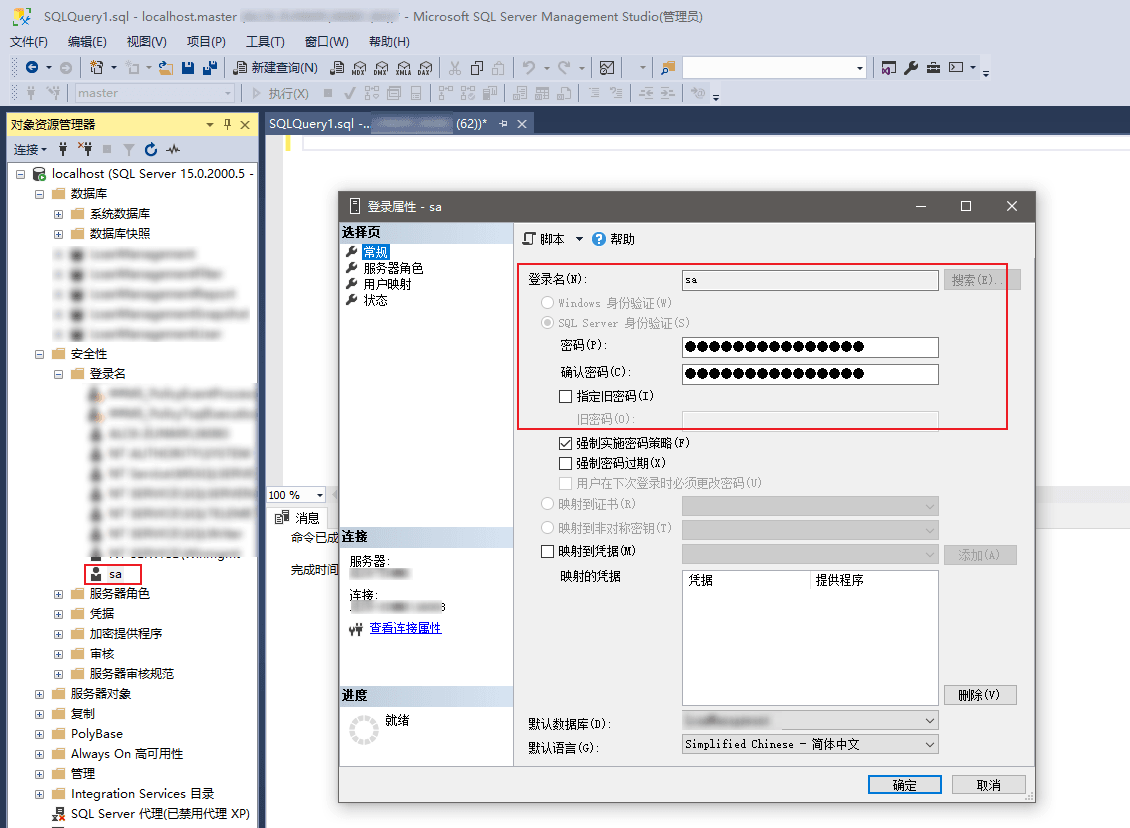
- 设置登录的账号和密码
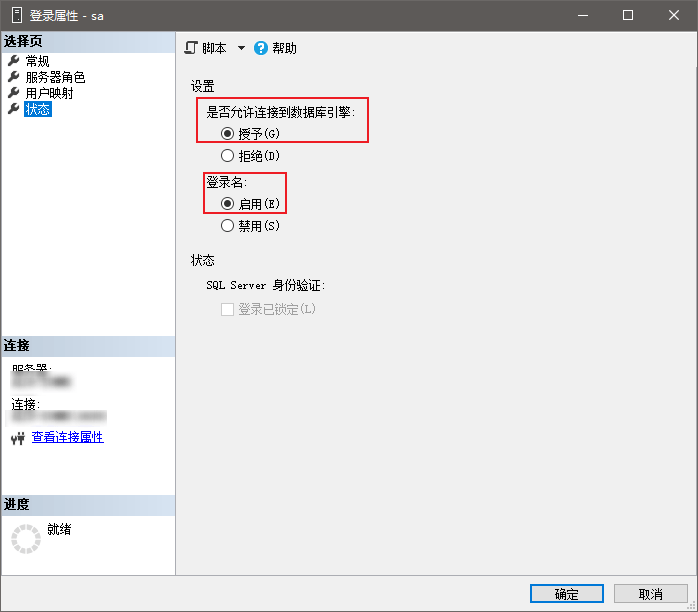
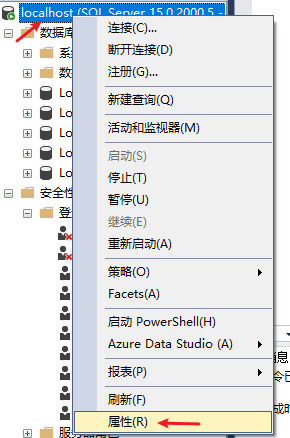
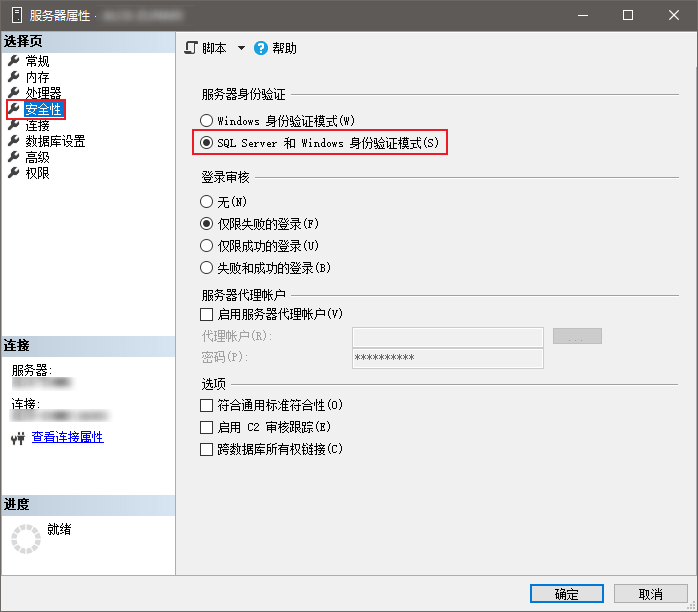
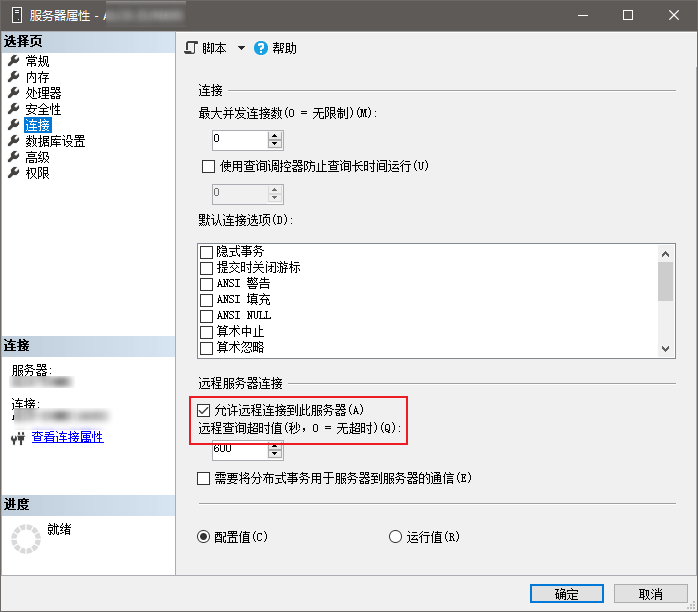
- 开启账号密码形式验证的方式和远程登录
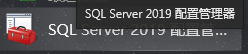
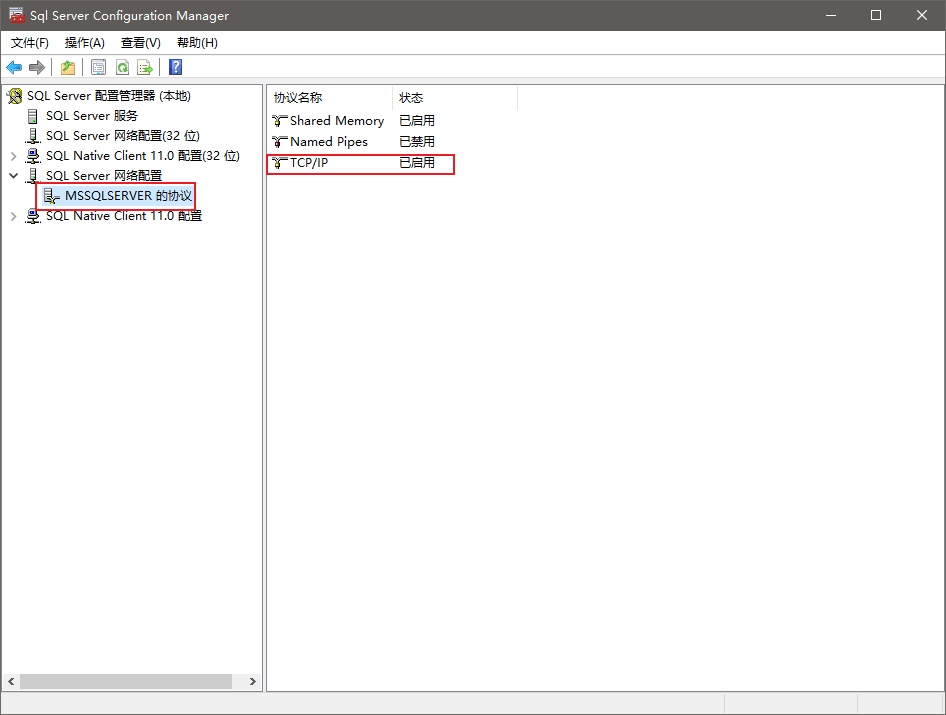
- 启动TCP/IP协议,打开配置管理器
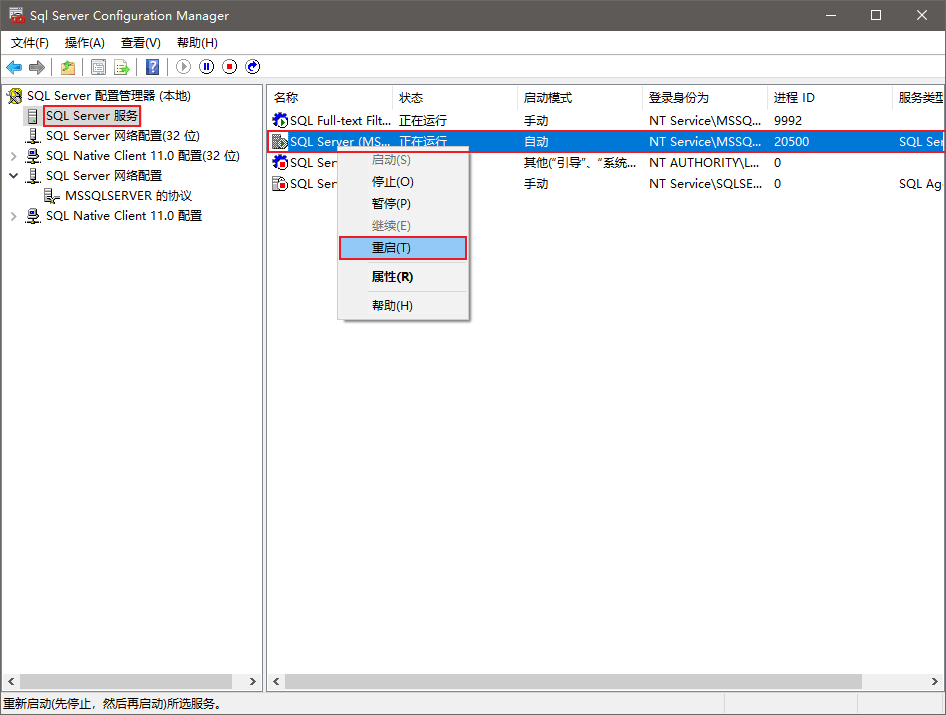
- 重启SQLServer服务
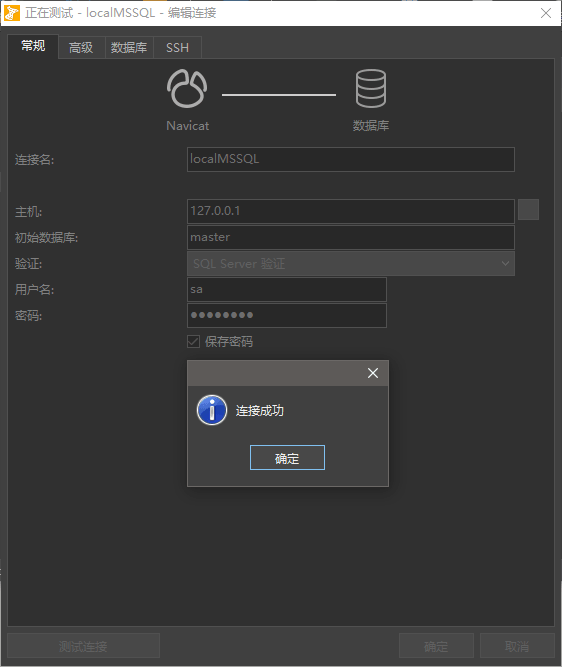
- 测试
通过Navicat测试链接MSSQL成功,项目中也可以正常连接数据库了



评论 0
还没有评论,来说点什么吧。